How Amazon's A10 algorithm ranks and ranks listings in 2026
Before you optimize anything, you need to understand what Amazon actually rewards. Amazon's A10 algorithm (the successor to A9) evaluates every listing on two parallel dimensions:
- Relevance signals — does your listing match what the customer searched for? Title keywords, bullet points, backend search terms, and product attributes all feed this score.
- Performance signals — when shoppers see your listing, do they click, buy, and stay satisfied? Click-through rate, conversion rate, sales velocity, return rate and review score all feed this score.
Here is the critical insight most guides miss: you cannot optimize your way around poor performance signals. A listing with a 5% conversion rate will never outrank a competitor with a 20% conversion rate in the same keyword space, no matter how well-stuffed the title is. Relevance gets you indexed. Performance gets you ranked.
The optimization sequence that works: Fix images first (they drive CTR and CVR simultaneously). Then fix title and bullets (relevance + conversion). Then backend keywords (pure relevance). Then A+ content (CVR). In that order.
1 Title optimization — your most important SEO and conversion asset
Your title simultaneously tells Amazon's algorithm what you sell (relevance) and tells shoppers why they should click (CTR). Getting both right in 150–170 characters is a craft, not a keyword dump.
The 2026 Amazon title formula
Title checklist
- Primary keyword in first 80 characters — this is what shows in search results and on mobile. Make it count.
- 150–170 characters total — Amazon caps most categories at 200 but algorithm favours concise, readable titles.
- Brand name first — builds brand recognition in search results and satisfies Amazon's style guide.
- Include size, quantity, or material — reduces returns and irrelevant clicks from mismatched expectations.
- No promotional language — "Best", "Cheapest", "#1" violate Amazon's style guide and risk suppression.
- Use pipe symbols or em dashes for readability — they visually separate attributes without wasting character space.
- No keyword repetition — Amazon indexes a keyword once. Repeating it wastes space that could hold new terms.
Amazon enforced stricter title guidelines in 2025–2026, actively suppressing listings with promotional claims, excessive capitalisation, or special characters beyond pipes and dashes. Check your listing health dashboard monthly for title warnings.
2 Bullet points — answer objections, embed keywords, close the sale
Each bullet point serves two purposes: it answers a specific buyer objection (conversion) and contains secondary keywords (relevance). You have five bullets. Use all five. Leave none blank.
The 5-bullet framework
| Bullet | Purpose | Content strategy |
|---|---|---|
| Bullet 1 | Lead benefit | Most important feature + primary benefit. Start with a bold keyword-rich hook in ALL CAPS. |
| Bullet 2 | Quality / materials | What it's made of, certifications, durability. Addresses "is this good quality?" objection. |
| Bullet 3 | Dimensions / compatibility | Exact size, fit, compatibility. Reduces returns by setting correct expectations. |
| Bullet 4 | Use case / audience | Who it's for, when to use it. Captures long-tail search terms and expands relevance. |
| Bullet 5 | Guarantee / trust | Warranty, customer support pledge, or brand story. Reduces purchase anxiety. |
- Start each bullet with an ALL CAPS keyword phrase — e.g. "EXTRA-THICK BAMBOO CONSTRUCTION —" then follow with conversational copy.
- Keep each bullet under 200 characters — mobile truncates at ~210 characters. Your key message must land within that limit.
- Use a different secondary keyword in each bullet — no repetition across bullets or title.
- Address the #1 negative review theme from competitors — if competitors are slammed for "poor quality packaging", address packaging quality in bullet 2.
- Include certifications and compliance claims — BPA-free, FSC-certified, FDA-approved where applicable. These are high-conversion trust signals.
3 Description & A+ content — the conversion multiplier
For Brand Registered sellers, A+ content replaces the standard description. It is one of the highest-ROI activities in Amazon listing optimization — Amazon's own data shows an average 3–10% conversion rate lift from well-executed A+ content.
A+ content does not add indexable keywords (Amazon does not crawl it for search terms), but it directly improves CVR, which improves organic rank. Higher CVR → more sales → higher BSR → higher rank. The indirect SEO benefit is significant.
A+ content best practices
- Lead with a lifestyle image — show the product in context, in use, by someone who looks like your buyer. Emotion before specification.
- Use a comparison chart module — show your product vs your own product variations (not competitors — Amazon prohibits this). Drives upsell and bundle purchases.
- Include a feature callout section — zoomed-in product images with short benefit captions. Answers the "but what makes this actually good?" question visually.
- Add a brand story module — builds trust and brand recognition, reduces competitive switching.
- Keep text blocks short — A+ content is a visual medium. Long text paragraphs are ignored on mobile. 2–3 sentences maximum per text block.
Sellers with a Brand Store and 5+ approved A+ content modules qualify for Premium A+ (formerly A++ content) — including video modules, interactive hotspots and larger image carousels. Premium A+ delivers up to 20% higher conversion rates. Apply via Seller Central's A+ Content Manager.
4 Backend search terms — hidden keywords that expand your reach
Backend search terms are invisible to shoppers but fully indexed by Amazon. They are your opportunity to capture search traffic from keywords that would look awkward or unnatural in your title and bullets.
What to put in your 250 bytes
| Keyword type | Examples | Priority |
|---|---|---|
| Synonyms | "chopping board" if title says "cutting board" | High |
| Misspellings | "bamboo cutting board", "cuting board" | High |
| Spanish/bilingual terms | "tabla de cortar bambu" | High (US marketplace) |
| Abbreviations | "XL", "w/ juice groove", "BPA free" | Medium |
| Complementary use cases | "charcuterie board", "serving board" | Medium |
| Long-tail phrases | "large cutting board for kitchen counter" | Medium |
- Separate keywords with spaces, not commas — Amazon uses spaces as separators. Commas waste bytes.
- Do not repeat keywords from your title or bullets — Amazon already indexes those. Backend bytes are precious — only use unique terms.
- No punctuation, quotes, or hyphens — Amazon indexes both "cutting" and "board" individually when separated by a space, making hyphens redundant.
- Include common misspellings of your product — buyers search with typos. Being indexed for misspellings gives you traffic with zero competition.
- Use all 250 bytes — leaving backend search terms partially filled is free money left on the table.
5 Image stack — the single biggest driver of CTR and CVR
Images are the most powerful element of any Amazon listing. Shoppers decide in under 3 seconds whether to click. Your main image drives CTR from search results. Your secondary images drive CVR on the product page. Most sellers underinvest here and overfocus on keywords.
Main image requirements and best practices
- Pure white background (#FFFFFF), product fills 85%+ of frame — Amazon's technical requirement. Non-compliant main images are suppressed.
- Minimum 1000×1000px, ideally 2000×2000px — enables zoom feature, which increases conversion rate by 6–10%.
- Show the most identifiable angle — test with Manage Your Experiments (Brand Registry) to find the highest-CTR angle.
- No text, logos, watermarks, or props in main image — Amazon policy violation and causes listing suppression.
Secondary image sequence (slots 2–9)
| Image slot | Content | Goal |
|---|---|---|
| Slot 2 | Lifestyle / in-use shot | Emotional connection — buyer sees themselves using it |
| Slot 3 | Feature callout with text overlays | Highlights 3–4 key features with icons/annotations |
| Slot 4 | Size comparison or scale shot | Sets accurate size expectations, reduces returns |
| Slot 5 | Multiple angles / all-sides view | Reassures quality, reduces purchase uncertainty |
| Slot 6 | How-to-use infographic | Reduces post-purchase complaints, increases reviews |
| Slot 7 | Comparison vs competitor category | Shows why your product is better (no brand names) |
| Slot 8 | Social proof / UGC screenshot | Review highlights or user-generated content builds trust |
| Slot 9 | Packaging / bundle contents | Answers "what do I actually receive?" before purchase |
The mobile test: 70%+ of Amazon purchases are completed on mobile in 2026. View your listing on a phone before publishing. Images that look detailed on desktop often become unreadable thumbnails on mobile. Infographic text should be at least 18pt equivalent at full image size.
6 Pricing strategy — the silent conversion lever
Price is not just a margin decision — it is an SEO decision. Amazon's algorithm factors conversion rate into organic ranking, and price is one of the biggest drivers of conversion rate. Being 20%+ more expensive than the category average without a clear differentiator will suppress your conversion rate and, therefore, your rank.
- Price within 10–15% of the top 3 competitors for launch phase. Premium pricing requires 50+ reviews and strong brand positioning to sustain.
- Set a higher list price and apply a percentage coupon — the green coupon badge in search results increases CTR by 5–15% in most categories.
- Enrol in Subscribe & Save for consumables — increases repeat purchase rate and boosts organic rank through consistent sales velocity.
7 Reviews & social proof — the conversion ceiling
No listing element has more impact on conversion rate than review count and rating. Amazon's own data shows conversion rate lifts of 50–100%+ when moving from 0 to 15 reviews, and another 20–40% lift from 15 to 50. Reviews are not a nice-to-have — they are a prerequisite for any optimization to work.
- Enrol in Amazon Vine — available to Brand Registered sellers with fewer than 30 reviews. Amazon distributes products to trusted reviewers. Cost: $200 per parent ASIN for up to 30 reviews.
- Use the "Request a Review" button — sends a compliant review request via Seller Central within 4–30 days of delivery. Automate with tools like Helium 10's Follow-Up.
- Respond to every negative review within 48 hours — public responses show future buyers you care. 35% of negative reviewers will revise their review after a helpful brand response.
8 Brand Registry features — tools that non-registered sellers cannot access
Amazon Brand Registry unlocks a suite of listing features that directly improve conversion rate and organic rank. If you are not registered, this is your single highest-priority action.
| Feature | Impact | Priority |
|---|---|---|
| A+ Content | +3–10% CVR | Critical |
| Manage Your Experiments (A/B testing) | Data-driven title & image optimization | Critical |
| Brand Analytics (Search Query Performance) | Keyword volume and share of click data | Critical |
| Amazon Vine (0–30 reviews) | Accelerated review acquisition | High |
| Premium A+ Content | +15–20% CVR vs standard A+ | High |
| Amazon Brand Store | Brand loyalty, cross-sell, off-Amazon traffic destination | Medium |
| Sponsored Brands & Video ads | Top-of-search brand visibility | Medium |
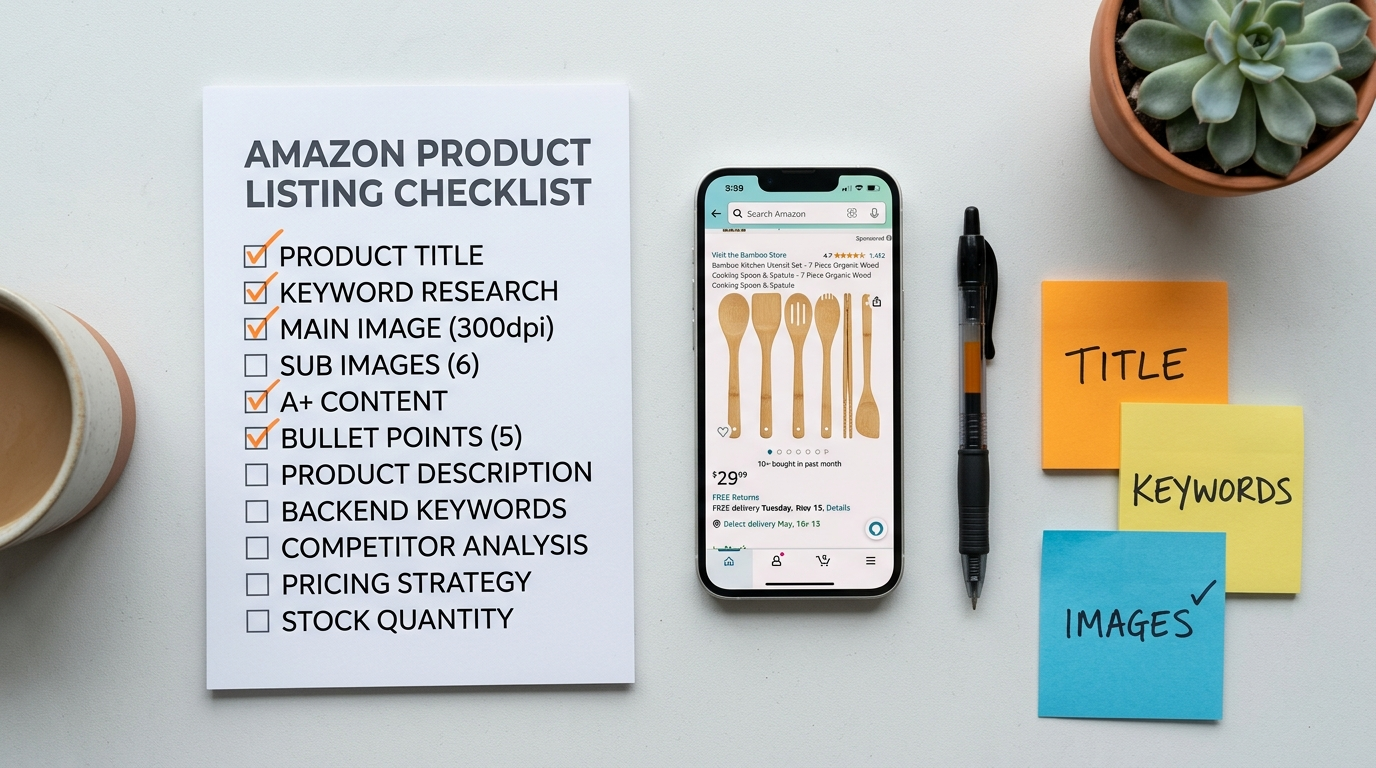
Full Amazon listing optimization checklist — print & use
Use this checklist on every new listing and every quarterly listing audit. A fully completed checklist is a listing that has no obvious low-hanging fruit left on the table.
Title
- Primary keyword in first 80 characters
- Brand name leads the title
- 150–170 characters total
- Size, quantity, or material included
- No promotional language or special characters
Bullet points
- All 5 bullets used
- Each bullet starts with ALL CAPS keyword phrase
- Each bullet under 200 characters
- Top competitor objection addressed
- Unique secondary keyword in each bullet
Backend keywords
- All 250 bytes used
- No keywords repeated from title or bullets
- Misspellings and synonyms included
- Spanish-language terms included (US marketplace)
Images
- Main image: white background, 2000×2000px, product fills 85%+
- 7–9 images total (use all available slots)
- Lifestyle image included
- Size comparison or scale reference included
- All images tested on mobile at thumbnail size
Reviews & trust
- Amazon Vine enrolled (if under 30 reviews)
- Request a Review automated
- Rating 4.0 stars or above
- Negative reviews responded to within 48 hours
Run this checklist quarterly. Amazon's algorithm, policy rules, and competitor listings all change. A listing that was fully optimized 6 months ago has likely fallen behind. Schedule a 90-minute listing audit every quarter for every ASIN doing more than £2,000/month in revenue.
Want us to audit and rebuild your listings?
We apply this exact checklist — and everything behind it — to every Amazon listing we manage. See what's costing you sales.
Get a Free Listing Audit →