
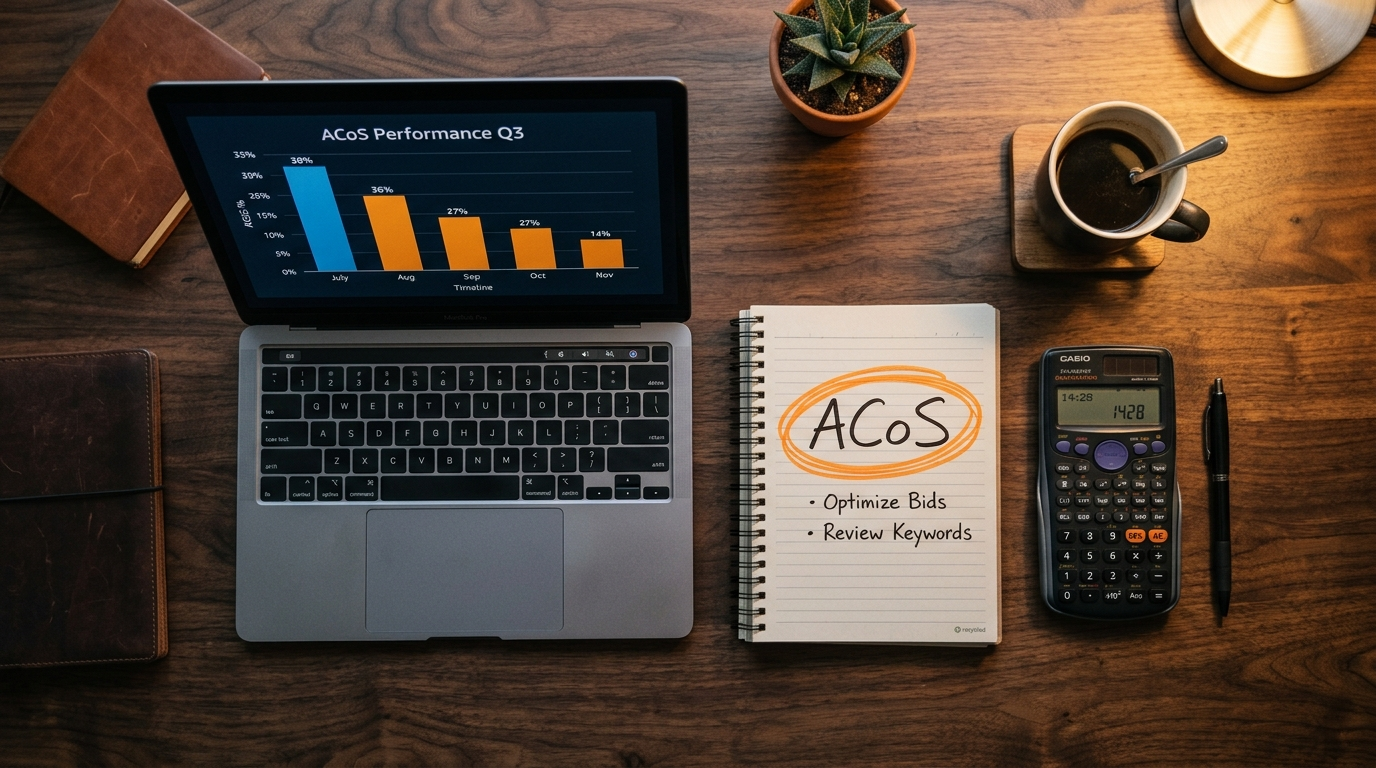
What is Amazon ACoS — and why it matters more than ROAS
ACoS stands for Advertising Cost of Sale. It is the percentage of ad-attributed revenue that you spent on advertising to generate that revenue.
Want the numbers for your own account? Our free Amazon ACoS calculator works out ACoS, TACoS and your break-even ACoS in the browser.
If your ACoS is 25%, you are spending 25 cents in advertising for every dollar of sales those ads generate. Whether that is good or bad entirely depends on your profit margin. A product with a 40% net margin can sustain a 35% ACoS and still be profitable. A product with a 20% margin cannot.
This is why the obsession with "lower is always better" misses the point. The goal is an ACoS below your break-even point — not the lowest number possible. Cutting ACoS from 25% to 12% by slashing bids sounds great until you realise you also cut sales volume by 60% and lost your BSR rank.
Prioritize fixes by impact first
When ACoS spikes, do not change everything at once. Triage in order of impact: first remove wasted clicks, then improve conversion, then tune bids by placement, and finally tighten budgets by SKU and time window. This sequence protects revenue while lowering waste.
- Fastest win: harvest negative keywords from recent search-term waste
- Second: fix listing conversion blockers before touching bid ceilings
- Third: reweight top-of-search and product-page placement modifiers
- Fourth: shift budget to profitable ASINs and pause weak windows
Calculate your break-even ACoS first. Take your net margin percentage — that is your ceiling. Any ACoS below that number is profitable. Any ACoS above it is burning cash. Target 60–70% of break-even for a healthy buffer.
ACoS vs TACoS — which metric actually tells the truth
ACoS is calculated only against ad-attributed sales. This creates a blind spot: it ignores the organic sales your advertising indirectly drives by improving your BSR and keyword rank.
TACoS (Total Advertising Cost of Sale) fixes this by measuring ad spend against your total store revenue — organic + paid combined.
| Metric | Formula | What it tells you | Best for |
|---|---|---|---|
| ACoS | Spend ÷ Ad Sales × 100 | Efficiency of paid campaigns | Day-to-day bid management |
| TACoS | Spend ÷ Total Sales × 100 | True advertising efficiency | Business health & strategy |
| ROAS | Ad Sales ÷ Spend | Ad sales returned per $1 spent | Reporting to stakeholders |
A healthy brand with strong organic velocity will show a TACoS of 8–12% even when individual campaign ACoS is 20–25%. That gap between ACoS and TACoS tells you how much of your total revenue is organic — the wider the gap, the stronger your brand health. Chasing ACoS reduction at the cost of TACoS growth is a common mistake that stunts long-term brand building.
ACoS benchmarks by category in 2026
There is no universal "good" ACoS. These are realistic targets for established sellers in each category. New product launches will typically run 40–80% ACoS intentionally to build sales velocity and reviews.
| Category | Typical ACoS we see (indicative) | Starting target (indicative) | Difficulty |
|---|---|---|---|
| Health & Personal Care | 28–35% | 20–25% | High |
| Home & Kitchen | 22–30% | 15–22% | Medium-High |
| Sports & Outdoors | 20–28% | 14–20% | Medium |
| Tools & Home Improvement | 18–25% | 12–18% | Medium |
| Beauty | 30–40% | 22–28% | Very High |
| Pet Supplies | 20–28% | 15–22% | Medium |
| Electronics & Accessories | 15–22% | 10–16% | High (low margins) |
| Baby Products | 22–30% | 16–22% | High |
For the first 60–90 days on a new ASIN, accept a higher ACoS deliberately. You are buying sales velocity, reviews and keyword rank — not immediate profit. Once you hit 30+ reviews and page-one rank on your core keywords, tighten bids aggressively.
1 Negative keyword harvesting — the fastest ACoS fix
This is the single highest-impact action on any unoptimized Amazon PPC account. Broad and phrase match campaigns capture hundreds of search terms Amazon thinks are relevant — many of which are completely wrong for your product and converting at 0%.
Every irrelevant click costs you money with zero return. Over time, these drain hundreds or thousands of dollars from campaigns that look "okay" on average but are hiding catastrophic waste in the long tail.
How to do it properly
- Go to Campaign Manager → Sponsored Products → Reports → Search Term Report
- Filter for search terms with 5+ clicks and 0 orders over the last 30–60 days
- Add all of these as negative exact at campaign level
- Also add as negative phrase any obvious category mismatches (e.g. if you sell dog leads, add "cat", "rabbit", "horse" as negatives)
- Repeat this process every 2 weeks — it is never a one-time task
What to expect: on accounts that have never been cleaned up, negative keyword harvesting alone often removes a meaningful share of wasted spend within the first month — without touching bids or reducing impressions on relevant terms.
2 Match type funneling — broad to phrase to exact
Running everything on broad match is like leaving the tap running. Running everything on exact match means you miss discovery. The solution is a structured three-campaign funnel per product:
- Broad match discovery campaign — low bids, captures new search terms, 30% of budget
- Phrase match refinement campaign — medium bids, tests proven terms at scale, 30% of budget
- Exact match winners campaign — highest bids, only your proven converters, 40% of budget
As search terms prove themselves in broad, graduate them to phrase. As phrase terms prove themselves, graduate them to exact and add them as negatives in broad so you control where the traffic flows. This prevents bid competition between your own campaigns and gives exact match terms the best chance to dominate their search terms.
A search term is ready to graduate to the next match type when it has 15+ clicks and a conversion rate at or above your campaign average. Don't promote on less data — you'll make decisions based on noise, not signal.
3 Single-ASIN campaign structure — stop blending data
Grouping multiple ASINs into one ad group is one of the most common structural mistakes on Amazon PPC. When products share a campaign, their performance data blends together. A strong-performing ASIN masks a poor one. Bids optimized for one product underperform for another. You can never see clearly what is actually happening.
The fix: one campaign per ASIN (or at most, one ad group per ASIN within a shared campaign). This gives you:
- Clean, unblended conversion rate data per product
- Bids calibrated specifically to each product's margin and conversion rate
- The ability to pause a poor product's spend without affecting your winners
- Accurate budget allocation — put money where each product earns it
When you restructure campaigns, Amazon loses the bid history on old campaigns. Expect a 1–2 week period of slightly elevated ACoS as the algorithm relearns. This is normal and temporary — the long-term gain is worth it.
4 Bid by placement — top of search costs more, converts more
Amazon allows you to adjust bids separately for three placement positions: Top of Search, Rest of Search, and Product Detail Pages. Most sellers leave these at defaults and massively overpay for product page placements (which convert 30–50% worse than top of search) or underbid for top of search (which converts 2–3× better).
| Placement | Relative conversion (indicative) | Starting bid adjustment to test |
|---|---|---|
| Top of Search (first row) | 15–25% | +50–100% above base bid |
| Rest of Search | 8–14% | Base bid (0% adjustment) |
| Product Pages | 5–9% | −20–40% below base bid |
Pull your Placement Report in Campaign Manager and compare your actual ACoS by placement. If your product page ACoS is 60% and top of search is 18%, you are actively paying to lose money on product page placements. Reduce product page bids immediately.
5 Fix your listing before increasing bids — CTR and CVR are ACoS multipliers
This is the tactic most sellers skip entirely, and it is the reason campaigns with good keyword targeting still have terrible ACoS. Your click-through rate (CTR) and conversion rate (CVR) sit inside the ACoS formula — they determine how much you pay for each sale.
Before blaming bids or keywords, check these listing fundamentals:
- Main image — is it the best-converting image in your category? Test with Manage Your Experiments (A/B testing) if brand registered.
- Title — does it include your primary keyword in the first 80 characters and communicate your core benefit?
- Bullet points — do they answer the top 3 objections a buyer has before purchase?
- Reviews — fewer than 15 reviews will suppress conversion rates regardless of how good your listing is. Prioritise review acquisition first.
- Price competitiveness — are you within 10–15% of the top competitors? Being significantly more expensive tanks CVR even with good copy.
6 Dayparting — stop paying full price for low-converting hours
Amazon shoppers do not convert equally at 3am and 8pm. Depending on your product category, conversion rates can vary a lot across times of day and days of the week, and your own hourly data shows how much. Running your campaigns at full bids 24/7 means you are paying peak prices for off-peak traffic.
Amazon does not have native dayparting, but you can implement it through Amazon's bulk operations file or third-party tools like Perpetua, Pacvue or Intentwise. The process:
- Pull 90 days of hourly performance data from your ad console
- Map conversion rate and ACoS by hour and by day of week
- Reduce bids during windows that consistently show high ACoS and low conversion, in steps you can measure
- Increase bids by 20–40% during your peak conversion windows
Kitchen products convert highest Thursday–Sunday evenings. Fitness products peak Monday–Wednesday mornings. Baby products convert consistently but spike on weekends. Understand your category before setting schedules — don't copy generic templates.
7 Cut the losers ruthlessly — most accounts are kept alive by 20% of keywords
In most Amazon PPC accounts, a small share of active keywords generates most of the profitable sales. The rest are eating budget, inflating ACoS, and confusing the algorithm. Most sellers keep them running because "they might convert eventually."
They will not. Here is the rule:
The 3× rule: Any keyword that has spent 3× your target CPA (Cost Per Acquisition) with zero conversions should be paused. No exceptions. Data is the only authority — not instinct, not "it looks relevant."
Implement this audit monthly. Pull every keyword in every campaign. Sort by spend descending. Apply the 3× rule. The keywords that survive are your real performers — they deserve higher bids, more budget, and exact match campaigns built around them.
Worked example: from 38% ACoS to 19%
Illustrative scenario, not a client case study. Picture a single home-storage product doing $18,000/month in revenue at 38% ACoS — making paid ads unprofitable. This is how the fixes above change the numbers:
The improvements came from: 214 negative keywords added (tactic 1), restructuring into three separate ASIN campaigns (tactic 3), a 45% product page bid reduction (tactic 4), and pausing 31 keywords that had burned through 3× target CPA with zero conversions (tactic 7). No major bid increases. No new keyword research. Just removing what was broken.
The pattern is always the same: Unoptimized accounts waste money in predictable ways. The work is not finding new opportunities — it is systematically eliminating the drain that already exists.
Still paying too much for every Amazon sale?
We audit Amazon PPC accounts and identify exactly where the waste is — then build a plan to fix it and scale what's working.
Book a Free PPC Audit →